Modern focus-oriented interface
New customizable Contact Center interface allows operator to do more work, quickly switching between open tickets and keeping conversation with multiple users. Multi-tennancy support
Innovative solution for service desk operations automation
Service Desk has long been mistakenly seen as a mere tool for reporting faults and ordering repairs of technical equipment. That has not been true for a long time.
The knowledge and practices that made it possible to resolve faults quickly and efficiently have become the foundation of a new generation of solutions that handle any kind of request – not only in IT, but across the entire company:
A modern Service Desk thus becomes the communication hub of the whole company: teams offer their services to others, and colleagues can easily reach them even when the team members are not online.
The system monitors the achievement of goals and compliance with deadlines, and helps to understand processes better and improve them continuously. The collected data can also be used by artificial intelligence, which can perform repetitive tasks automatically.
For even greater efficiency, external parties – partners, suppliers and customers – can be involved in the processes too. At any time, 24 hours a day, 7 days a week, they can find important information, report changes, request access, or ask for documents and contracts to be issued.
The self-service portal thus reduces the workload of employees who would otherwise have to look up and pass on information manually.
By connecting the Service Desk with other applications, you can automatically collect security incidents, requests and suggestions, respond to changes in publicly available data (for example, in the Commercial Register) and carry out a wide range of activities systematically.
The resolver can be a person – an employee or an external contractor – as well as an AI agent.
Such scenarios place high demands on security, for example on the strict separation of internal and external data. A modern Service Desk must therefore allow processes to be set up easily and adjusted later without involving developers.
New customizable Contact Center interface allows operator to do more work, quickly switching between open tickets and keeping conversation with multiple users. Multi-tennancy support


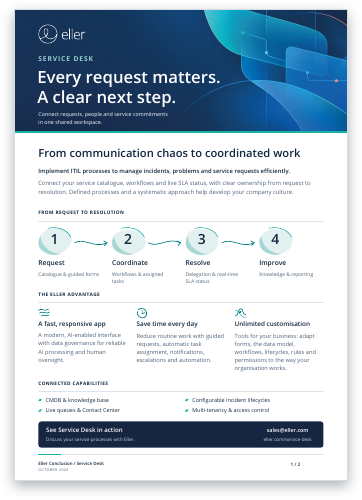
To create an online shopping experience when ordering services, service catalogue provides a simple way for users to enter support tickets or incidents. Service catalogue may be integrated with a knowledge base
Administrators may edit catalogue entries directly in a system. Service level attributes and approval workflows may be defined per service


Predefining typical questions within forms helps to reduce unnecessary communication. Forms may be edited by system administrators. Various data types and validations, custom hints are supported
Operators and service engineers may view tickets using real-time updated tables. Collaborative environment supports lazy locking, permissions management, hidden entries and private fields. SLA status is shown with real-time updates


Embedded knowledge base with CDMB and Services Catalogue. Article reviews, ratings, history and fulltext search
Prepackaged workflows out of the box. System administrators may design own workflows, notifications, add rules and triggers.

Customizable forms and guidelines simplify communication between request submitters and operators
It is possible to define multiple lifecycles and dynamically assign it to tickets
Tasks are automatically assigned according to defined workflow. Tasks support notifications, escalations, SLO measurement and collaboration
Real-time SLA view allows fast response to high priority requests. Complex rules are supported to define SLAs according to service level or other attributes
Fully web-based collaborative text editor for knowledge base
Field-level permission control. Support for external suppliers, customers, internal employees. ActiveDirectory integration